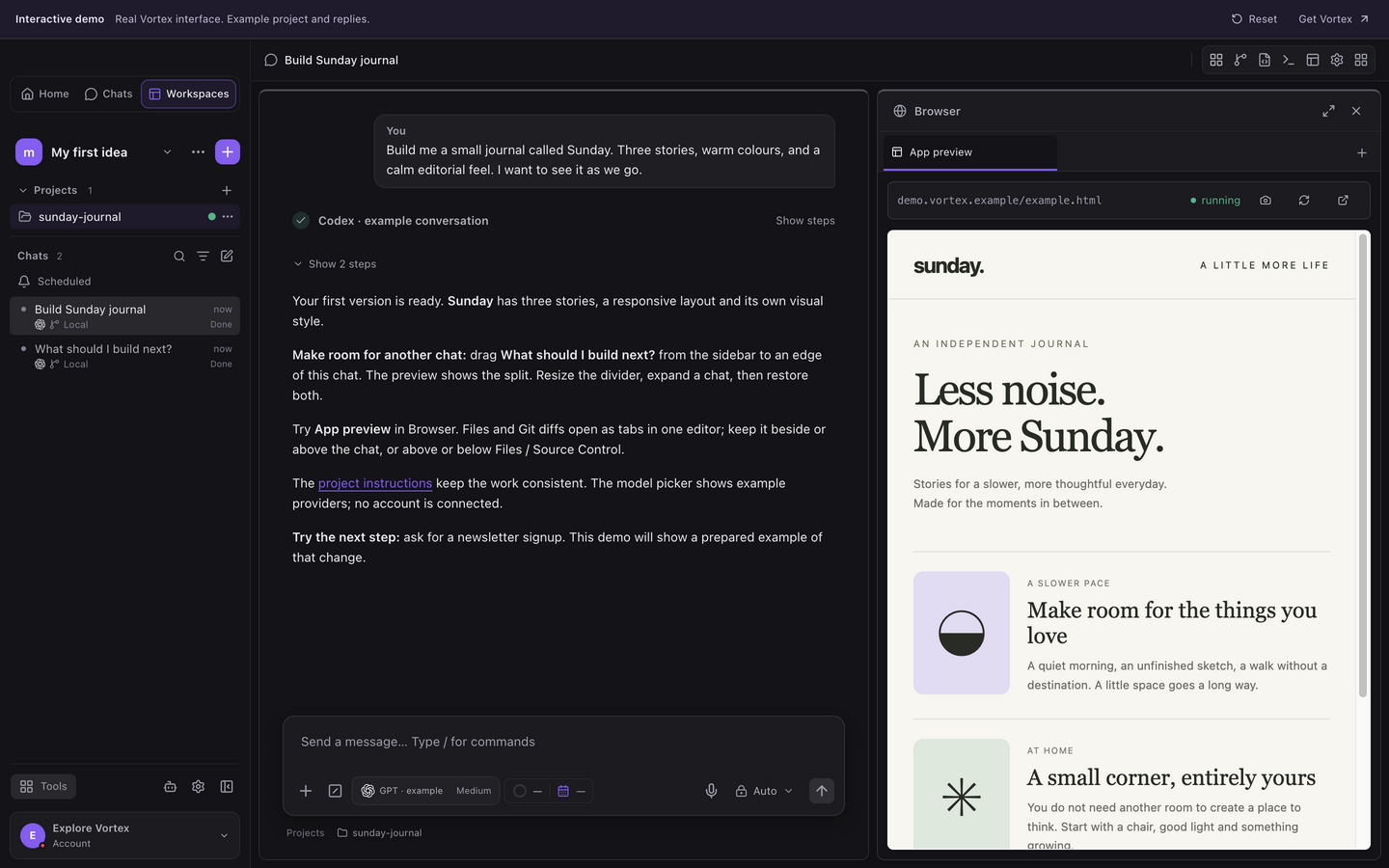
What is vibe coding in Vortex?+
Start by describing the app you want, then build it through conversation with your connected coding agent. Try each change in the preview and ask for the next improvement. Vortex keeps the code, tools and checks within reach, so you can learn as you go or take control of the details.
Do I need to know how to code?+
You can start by describing what you want to make. Your connected coding agent writes code and helps with setup; you guide it, try the app and ask for changes. Building something reliable still takes testing and decisions. The guides start with a small first app and introduce the details as you need them.
Does Vortex include an AI account?+
Connect your own Codex, Claude Code, Google Antigravity, Grok Build or Kimi Code account. Vortex brings the workflow together; it does not include provider subscriptions or AI tokens. Available models and usage limits depend on your chosen provider.
Where does my project run?+
Your project files and running app stay on your computer. Agents use the access you grant them, and prompts sent to a provider follow that provider’s service. Optional encrypted workspace sync helps you continue across devices; it does not upload your whole Git checkout or move a running process to the cloud.
Can I work on an existing app?+
Yes. Open its folder or clone its repository, select an agent and give it a bounded task. Vortex helps inspect the project, prepare its runtime and start its preview. You can review file changes and Git diffs as you go.
When will an agent ask me to approve an action?+
In Auto, an agent can carry out work you have asked it to do, such as reading data, editing files or updating selected records, without asking before every tool call. Supervised and Auto-edit ask before Vortex tool changes. Auto-edit can accept local file edits through your provider; Plan is read-only. Vortex blocks mass-destructive commands such as deleting a whole database. Device permissions and provider restrictions still apply. Publishing or sending real messages needs to be part of your request.
What tools can I use with my project?+
Use the connected tools in an ordinary workflow: inspect a database and run SQL, send and check API requests, inspect test Mail, follow Signals, connect to a server over SSH or transfer files with FTP, FTPS or SFTP. Reuse saved resources where useful and keep the task scoped to the project and resource you intend.
Can I start a chat without a project?+
Yes. Use a plain chat to explore an idea. Plain chats have no project settings. Attach or open a project when you need its files, instructions and selected skills. Creating an isolated Git worktree requires confirmation.
Can I arrange several chats at once?+
Yes. Drag a chat from the sidebar to the left, right, top or bottom of another chat. A preview shows where it will go. Resize the dividers, split areas again or expand one chat and restore the previous layout. Numbers before chat titles match the sidebar. Your arrangement is saved locally for that workspace and window.
How do I follow several projects at once?+
Use the workspace icons on the left to see running agents, requests for input and unread results. Select a workspace, then open the conversation you need. Workspace icons keep the order you choose as messages arrive. Delegated subchats stay under their main conversation, with Back at the top when you open one.
What can I do with @ in chat?+
Type @ to see work steps and projects. Choose @architect, @ux, @design, @ui, @security or @qa to guide the current agent. A work step does not automatically create another agent. Start a message with a project mention to launch a new chat in that project, including another workspace. Only the new request and explicitly chosen context go with it.
Can I browse beside a conversation?+
Yes. One Browser panel brings your project’s Preview tab and website tabs together beside the conversation, with an address/search field. Open it from the Browser icon in the toolbar. Standalone chats have website tabs without a project Preview tab. Web navigation accepts safe HTTP(S) addresses, and Browser login sessions are ephemeral.
Is Vortex free?+
Yes. All Vortex features are free, with unlimited workspaces, projects, saved chats and connections. Connect your own coding-agent account; that provider controls its subscriptions and usage. Cloud storage and abuse protections still have technical limits.
Can an agent work on a schedule?+
Local scheduled tasks can reuse a chat with your chosen coding agent, at a daily time and timezone or on an interval. Vortex must be open and your computer awake. Approvals remain in the chat. There are no hosted runners, and failed or interrupted work needs review.
Will Vortex publish my app automatically?+
You decide when work is ready. Use the preview, inspect changes and run the checks your project needs. Git push, publishing and deployment are separate actions; an agent finishing a turn is not proof that your app is ready for real users.